

I used to think that being productive meant having a color-coded digital calendar that looked like a piece of modern art. I spent way too many hours during my early operations career trying to force my life into these rigid, hyper-detailed grids, only to end up feeling more exhausted than when I started. The truth is, most of the “expert” advice you see online about time blocking is way too complicated; they want you to buy a subscription to a new app or spend your entire Sunday planning every fifteen-minute increment. It’s a recipe for decision fatigue, not discipline.
I’m not here to sell you on a lifestyle overhaul or a complex software suite. Instead, I want to show you how I use a simple, repeatable system to protect my focus without losing my mind. I’ll share the exact, low-friction way I approach time blocking to reclaim my mental space and keep my workday from bleeding into my evenings. We aren’t going to chase some impossible version of perfection; we are just going to build a better foundation for your day.
Table of Contents
Moving Beyond Basic Time Management Strategies

Most people start with time management strategies that look great on paper but fall apart by Tuesday afternoon. They try to account for every single minute, treating their lives like a rigid spreadsheet. But life isn’t a factory line; it’s messy. If you try to schedule your day with zero margin for error, you’ll end up feeling like a failure the moment a meeting runs long or a sudden email interrupts your flow. The real secret isn’t about being more rigid; it’s about understanding the difference between simply managing your clock and actually managing your energy.
Once you’ve mastered the basics of a digital calendar organization, you need to start looking at the quality of your focus. This is where many people get stuck. They know they need to work, but they don’t know how to transition from a state of constant distraction to one of real output. Instead of just filling slots, I’ve found success by integrating deep work productivity techniques into my blocks. This means I don’t just “work on the budget” from 9:00 to 10:00; I specifically set aside that window for high-intensity, uninterrupted thinking. It’s about moving away from a checklist of tasks and toward a system that respects how your brain actually functions throughout the day.
Mastering Digital Calendar Organization for Mental Clarity
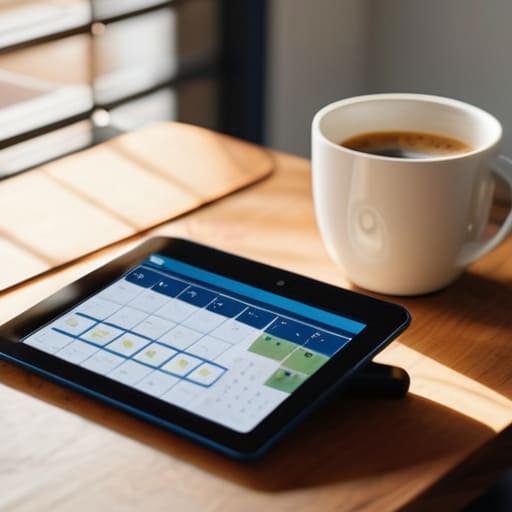
Once you’ve embraced the concept of scheduling, the next hurdle is making your digital tools work for you rather than against you. I used to stare at a sea of blue and red boxes on my Google Calendar, feeling more overwhelmed than organized. The trick isn’t just putting things on the grid; it’s about digital calendar organization that reflects how you actually function. I started color-coding my blocks based on the type of mental effort required—deep blues for focused projects and soft greens for administrative tasks. This simple shift turned my calendar into a visual map of my day, allowing me to see at a glance if I was overcommitting my cognitive resources.
It’s also vital to distinguish between different types of commitments. I’ve found that leaning into energy management for productivity is far more effective than just managing minutes. Instead of scattering small, annoying tasks throughout the day, I use task batching vs time blocking to group similar activities together. For example, I’ll set aside a single block for all my email correspondence and quick wins. This prevents the constant context-switching that drains my battery by noon. When your calendar shows you a clear path of intention rather than a chaotic list of obligations, your brain finally gets permission to settle in and focus.
Five ways to make time blocking actually work for you
- Stop over-scheduling every single minute. If you try to account for every five-minute window, you’ll burn out by Tuesday. Leave “buffer blocks”—empty spaces in your afternoon—to handle the inevitable fires that pop up or just to let yourself grab a coffee without feeling like you’re failing your system.
- Group your similar tasks together. I call this “batching.” Instead of answering emails every time a notification pings, block out two 30-minute chunks a day specifically for correspondence. It keeps your brain from constantly switching gears, which is where most of our mental energy leaks away.
- Respect your biological clock. I’ve learned the hard way that trying to tackle deep, analytical work at 3:00 PM is a losing battle. Map your most demanding tasks to the times of day when you actually feel sharp, and save the mindless admin stuff for when you’re hitting that mid-afternoon slump.
- Use your physical notebook as a reality check. My digital calendar is great for the big picture, but I always jot down my three “must-win” blocks in my pocket notebook each morning. It creates a tactile connection to my plan and keeps me from getting lost in the digital weeds.
- Treat your blocks like non-negotiable appointments. If you’ve blocked out an hour for focused work, treat it with the same respect you’d give a meeting with your boss. If you keep pushing your own scheduled time to the side, the system loses its authority and you’ll stop trusting it.
Finding Your Rhythm

At the end of the day, time blocking isn’t about turning yourself into a robot or filling every single minute of your day with rigid tasks. It’s about moving past the chaos of reactive living and finally taking the driver’s seat. We’ve looked at how to move beyond surface-level productivity hacks and how to use your digital tools to create actual mental breathing room. By setting these intentional boundaries, you aren’t just managing a schedule; you are protecting your focus from the endless stream of distractions that try to steal it.
If you feel overwhelmed right now, please don’t feel like you have to overhaul your entire life by Monday morning. Start small. Maybe it’s just one thirty-minute block for deep work or a dedicated window to clear your inbox. I’ve learned through my own trial and error—and a lot of messy notebooks—that the goal isn’t a perfect calendar, but a sustainable system. Build your foundation one block at a time, and eventually, you’ll find that you aren’t just getting more done; you’re actually finding the time to enjoy the life you’re working so hard to build.
Frequently Asked Questions
What do I do when an unexpected meeting or emergency completely ruins my planned schedule for the day?
Look, I’ve been there. An emergency hits, your calendar vanishes, and suddenly you feel like you’ve failed the system. You haven’t. When the day goes sideways, don’t try to force the old schedule back together; that’s just a recipe for more stress. Instead, grab your notebook and do a quick “reset.” Identify the three most critical things that must happen before you sleep, and let everything else slide to tomorrow. Build in buffers, not just tasks.
How much time should I actually leave between blocks to account for travel, transitions, or just a quick breather?
I used to pack my schedule tight, thinking I was being efficient, but I was really just setting myself up for burnout. Now, I always build in a “buffer block.” Aim for at least 15 minutes between tasks. That’s enough time to grab a coffee, stretch, or just reset your brain before the next thing hits. If you’re traveling between locations, give yourself a 30-minute cushion. It’s better to have extra time than to feel constantly behind.
Is it better to plan my entire week in advance, or should I just focus on blocking out the next 24 hours?
I’ve found that trying to map out an entire week usually leads to frustration when reality inevitably crashes into your plans. It creates a rigid structure that’s hard to maintain. Instead, I prefer a hybrid approach: do a high-level “brain dump” for the week so you know what’s coming, but only commit to blocking out the next 24 to 48 hours. It keeps you agile without the overwhelming decision fatigue.
How do I stop myself from feeling guilty or anxious when I inevitably fall behind on my scheduled tasks?
Look, I’ve been there. I’ve stared at a calendar full of red “overdue” notifications and felt that familiar pit in my stomach. Here’s the truth: a schedule is a compass, not a prison. When things slip, don’t try to “catch up” by working twice as hard—that just leads to burnout. Instead, grab your notebook, look at what’s left, and ruthlessly prune the non-essentials. Reset, forgive yourself, and just start fresh with the next block.