

I was sitting at my desk last Tuesday, staring at a desktop screen so cluttered with random screenshots and stray PDF files that I could barely see my wallpaper. My eyes felt heavy, and that familiar, low-grade anxiety started creeping in—the kind that comes from knowing you’re drowning in invisible weight. We’ve been sold this idea that a digital declutter requires some expensive, high-tech productivity suite or a complete lifestyle overhaul, but that’s just more noise. The truth is, the chaos isn’t just on your screen; it’s a constant, subtle drain on your mental energy that makes even simple tasks feel exhausting.
I’m not here to give you a list of fancy apps or tell you to delete your entire online existence. Instead, I want to share the small, repeatable systems I’ve used to reclaim my focus and clear the mental fog. We’re going to walk through a few no-nonsense steps to clean up your digital workspace, from your desktop to your inbox, without the overwhelm. My goal is to help you build a foundation that actually works for your real life, so you can finally stop reacting to notifications and start focusing on what actually matters.
Table of Contents
Small Steps for Better Smartphone Notification Management
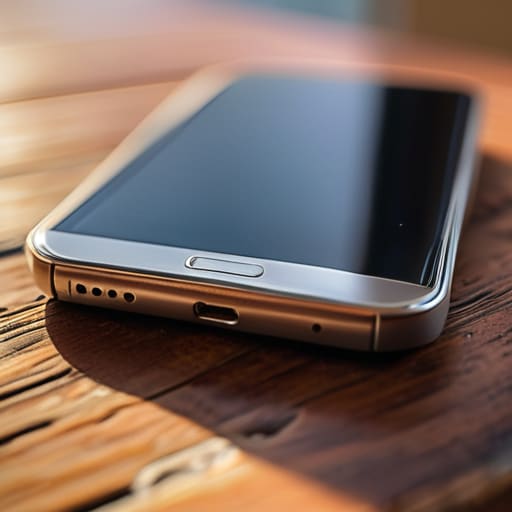
Most of us treat our phones like a slot machine, constantly checking for that little red dot of dopamine. But if you want to actually reclaim your attention, you have to get aggressive with your smartphone notification management. I started by doing a “silent audit” last Sunday. I went through every single app and asked myself: Does this need to interrupt my life in real-time? If the answer was no—which applied to almost every social media app and shopping site—I turned the alerts off. You don’t need a buzz in your pocket just because someone liked a photo or a brand is having a flash sale.
Beyond the immediate pings, I’ve found that part of improving digital focus is about managing the noise that arrives via email. We all have those “must-read” newsletters sitting in our inboxes, gathering digital dust and creating a sense of obligation. Take ten minutes today to go on a spree of unsubscribing from email newsletters that no longer serve you. If you haven’t opened it in a month, let it go. It’s a small, repeatable win that clears the mental clutter and ensures that when your phone does make a sound, it actually matters.
Unsubscribing From Email Newsletters to Reclaim Your Morning

I used to start my mornings by scrolling through my inbox, thinking I was “getting ahead.” In reality, I was just letting a dozen different brands and influencers dictate my mental state before I’d even had my first cup of coffee. If your inbox feels like a relentless stream of noise, it’s time to stop being a passive consumer and start unsubscribing from email newsletters that no longer serve a purpose in your life. If you haven’t opened a specific newsletter in the last month, it doesn’t deserve a permanent spot in your digital landscape.
I’ve found that a “scorched earth” approach works best here. Instead of just deleting the latest promotional blast, take that extra five seconds to find the tiny, often overlooked “unsubscribe” link at the bottom. It feels small, but these are the fundamental digital wellness habits that prevent your attention from being hijacked. My rule of thumb is simple: if a subscription doesn’t provide immediate value or genuine inspiration, it’s just clutter. By thinning out the herd, you aren’t just cleaning an inbox; you are protecting your morning peace and ensuring that when you do sit down to work, you are actually in control of your focus.
Five Ways to Quiet the Digital Noise
- Clean up your desktop environment. I used to feel a sense of dread every time I booted up my laptop, seeing a chaotic mosaic of random screenshots and half-finished projects. Spend ten minutes tonight dragging those files into organized folders—or better yet, the trash—so you can actually breathe when you sit down to work tomorrow.
- Audit your browser tabs. We’ve all been there: fifty tabs open, each one a tiny, screaming demand for your attention. If you haven’t clicked it in twenty-four hours, bookmark it for later or close it. Your brain will thank you for the lack of visual clutter.
- Tame your cloud storage. It’s easy to let Google Drive or iCloud become a digital junk drawer of duplicates and outdated versions. Set a recurring calendar invite once a month to delete the “Final_Version_v2_REAL_FINAL” files that are just taking up mental and digital space.
- Curate your social media feed. If an account consistently makes you feel inadequate, anxious, or just plain annoyed, hit the unfollow button. Your feed should be a tool for inspiration or connection, not a source of subconscious stress.
- Establish a “Digital Sunset.” Pick a time each evening—maybe 9:00 PM—where the screens go dark. Moving away from the blue light helps signal to your brain that the workday is truly over, allowing you to transition into a more restful, analog headspace.
Finding Your Quiet Center

At the end of the day, a digital declutter isn’t about deleting every app or going completely off the grid; it’s about intentionality. We’ve looked at how silencing those constant smartphone pings can stop the reactive loop of your brain, and how cleaning out your inbox can prevent that heavy sense of dread from hitting you before you’ve even had your first cup of coffee. By implementing these small, repeatable systems, you aren’t just organizing files or folders—you are protecting your focus and reclaiming the mental bandwidth that these digital distractions have been quietly stealing from you. It’s about making sure your tools serve you, rather than you serving your tools.
I know how easy it is to feel like you’ve failed if you miss a day or if a new wave of notifications floods back in. But remember, we aren’t chasing perfection here; we are just building better foundations. Think of this like restoring an old chair: you don’t fix everything in one afternoon, you just sand one surface at a time until the grain shows through again. Start with one small change tomorrow, and let that be enough. You deserve a life that feels spacious and calm, even in a world that is constantly trying to get your attention.
Frequently Asked Questions
How do I decide which files are actually worth keeping and which ones are just digital hoarding?
I use a simple “utility test” to stop the hoarding. Before I save a file, I ask: Will I actually need this for a project, a legal reason, or a core memory in six months? If it’s just a “maybe” or a duplicate, it goes. I treat my digital storage like my workshop—if a tool isn’t serving a purpose, it’s just taking up space. If you haven’t opened it in a year, delete it.
I’m worried about losing important memories; is there a safe way to archive old photos without them cluttering my daily view?
I get it—the fear of losing a memory is real, but having 15,000 photos mixed in with your screenshots is just noise. My system is simple: pick one reliable cloud service (like Google Photos or iCloud) for the heavy lifting, then move everything older than six months into a single “Archive” folder. Treat your main camera roll like a curated gallery, not a junk drawer. It keeps the sentiment without the clutter.
Does a digital declutter actually help with burnout, or is it just a temporary fix for a messy desktop?
It’s a fair question. If you’re just moving files into a folder named “Misc,” it’s definitely a temporary fix. But a real declutter isn’t about aesthetics; it’s about reducing the constant, low-level cognitive load that drains your battery. Every unread notification and cluttered tab is a tiny demand on your attention. By clearing that noise, you aren’t just tidying a desktop—you’re reclaiming the mental bandwidth needed to actually recover from burnout.
How do I stay consistent with these systems so I don't end up right back where I started in a month?
The truth is, you probably will slip up. I do. The trick isn’t about perfect willpower; it’s about lowering the barrier to reentry. When you feel the chaos creeping back in, don’t try to overhaul everything at once. Just pick one small thing—maybe it’s just clearing your desktop icons—and do that. Consistency isn’t a straight line; it’s just the act of showing up again after you’ve drifted.