
I remember sitting at my kitchen table three years ago, surrounded by half-finished coffee mugs and a tangle of charging cables that felt like they were physically tightening around my brain. I had spent hundreds of dollars on “ergonomic” gadgets and sleek, minimalist tech that promised to revolutionize my output, but all I really had was a more expensive way to feel completely overwhelmed. We’ve been sold this lie that learning how to build a productive workspace requires a massive budget and a showroom-ready aesthetic. In reality, most of that high-end gear is just expensive noise that actually increases your decision fatigue instead of curing it.
I’m not here to sell you on a lifestyle brand or a specific brand of overpriced desk lamp. My goal is to share the small, repeatable systems I’ve used to turn chaotic corners into functional sanctuaries that actually protect my focus. We aren’t going to chase some impossible version of perfection; instead, I want to show you how to build a foundation that works for your specific life and budget. We’re going to focus on intentional simplicity—the kind of setup that lets you stop managing your desk and start actually doing your work.
Table of Contents
Ergonomic Office Setup Tips for Long Term Comfort
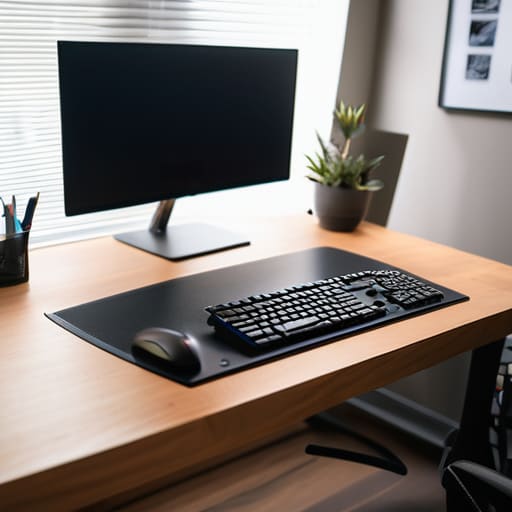
I’ve spent enough hours hunched over a kitchen table to know that physical discomfort is the fastest way to kill a productive streak. When your neck starts aching or your lower back begins to throb, your brain stops focusing on the task at hand and starts focusing entirely on the pain. One of the most effective ergonomic office setup tips I’ve learned is to stop treating your chair as a mere seat and start treating it as a support system. Your eyes should be level with the top third of your monitor, and your elbows should rest at a 90-degree angle. If you’re working from a laptop, please, do yourself a favor and get a separate keyboard and mouse; it’s a small investment that prevents years of avoidable strain.
Beyond the chair and desk, I’ve found that small adjustments to your environment can drastically change how your body feels by mid-afternoon. I’m a big believer in improving workflow with desk layout by keeping the items you use most—like my notebook and pen—within easy reach, so you aren’t constantly overextending or twisting your torso. Pay attention to your feet, too; they should rest flat on the floor. If they don’t, a simple footrest can make a world of difference in maintaining a neutral spine. It isn’t about buying the most expensive gear on the market, but rather about setting up a foundation that supports your body instead of fighting against it.
Home Office Lighting Optimization to Protect Your Energy
I’ve learned the hard way that lighting isn’t just about seeing your keyboard; it’s about managing your internal clock. When I first started working from my apartment, I relied entirely on a single, harsh overhead light that left me feeling drained by 3:00 PM. Now, I treat home office lighting optimization as a way to signal to my brain when it’s time to focus and when it’s time to wind down. My rule of thumb is to layer your light. Start with as much natural light as possible, but position your desk so you aren’t staring directly into a window—that’s a recipe for glare and eye strain.
For the actual work hours, I swear by a dedicated task lamp with an adjustable color temperature. During the morning, I prefer a cooler, crisp light to help me stay alert and sharpen my mental clarity. As the afternoon rolls in, I switch to a warmer tone. This subtle shift is one of those small, repeatable systems that helps prevent that mid-day slump. If you’re looking for ways of improving workflow with desk layout, remember that your light source should supplement your vision, not compete with your monitor. It’s a minor adjustment, but it makes a massive difference in how much energy you have left at the end of the day.
Five Small Systems to Keep Your Focus Sharp
- Clear the visual clutter. I used to think a messy desk was a sign of a creative mind, but it’s actually just a recipe for decision fatigue. At the end of every workday, I spend exactly three minutes clearing my surface. Only the essentials stay; everything else gets tucked away.
- Use a physical “Distraction Log.” Whenever a random thought or a non-urgent task pops into my head while I’m working, I don’t switch tasks. I just write it down in my pocket notebook. This gets it out of my brain and onto the paper so I can return to my deep work immediately.
- Designate a single “Landing Strip” for your tech. Keep your phone in a specific spot—ideally out of your direct line of sight—when you need to focus. If it’s not in your peripheral vision, your brain stops subconsciously waiting for it to light up.
- Implement a “One-In, One-Out” rule for your desk supplies. If you bring a new notebook or a new pen into your workspace, one old item has to go into a drawer or the bin. It prevents that slow creep of “stuff” that eventually makes your desk feel cramped and overwhelming.
- Curate your auditory environment. Some days I need total silence, but other days, silence is too loud. I keep a specific “Focus Playlist” that is strictly instrumental—no lyrics to compete with my internal monologue. When that music starts, my brain knows it’s time to get to work.
Finding Your Rhythm
At the end of the day, building a productive workspace isn’t about buying the most expensive standing desk or having a perfectly curated aesthetic that looks like a Pinterest board. It’s about the small, intentional choices we make to support our physical and mental well-being. We’ve talked about the importance of ergonomic alignment to keep your body from aching by 3:00 PM, and how optimizing your lighting can prevent that mid-afternoon energy crash. When you combine these physical adjustments with a space that respects your focus, you stop fighting against your environment and start working with it instead.
If you feel overwhelmed by the idea of changing everything at once, please don’t. My advice is to pick just one thing—maybe it’s adjusting your monitor height or swapping a harsh bulb for something warmer—and start there. You don’t need a total overhaul to see a difference in your clarity and calm. We aren’t aiming for a showroom-ready office; we are just trying to build a functional foundation that serves us. Take it one small adjustment at a time, and remember that your space should work for you, not the other way around.
Frequently Asked Questions
How do I manage a productive workspace if I live in a small studio apartment with no dedicated office area?
When you’re living in a studio, the biggest enemy isn’t the lack of space—it’s the lack of boundaries. If your “office” is also your dining table or your bedside, your brain never truly clocks out. I’ve found that creating a “mobile kit” works best. Use a dedicated tray or a small rolling cart to house your laptop, notebook, and pen. When the work is done, everything goes back in the box. Out of sight, out of mind.
What are some low-cost ways to improve my desk setup if I can't afford high-end ergonomic furniture right now?
Look, I get it. Most of those high-end ergonomic chairs cost more than my first car, and you don’t need to go into debt to work better. Start with what you have. Use a stack of sturdy books to raise your monitor so your eyes hit the top third of the screen—it saves your neck instantly. If your chair lacks lumbar support, roll up a small towel and place it in the curve of your lower back. It’s not fancy, but it works.
How can I stop my phone and other digital distractions from ruining the focus I've built in my physical space?
The physical space is only half the battle; the digital noise is usually what breaks the seal. I’ve learned that if my phone is within arm’s reach, I’ve already lost. I started using a “phone garage”—a drawer or a basket in another room. When I sit down to work, the device goes there. If I need it for work, I turn off every non-human notification. If it’s not a person needing me, it doesn’t need my attention.
How do I know when my workspace has become too cluttered and actually needs a complete reset?
You’ll know it’s time when you start feeling a subtle, persistent friction every time you sit down. It’s not just a messy desk; it’s that mental heaviness where you can’t find your pen, or you find yourself staring at a stack of old mail instead of your actual work. If your environment is triggering distraction rather than focus, the system has broken. Don’t wait for a crisis—if it feels heavy, reset it.