
I remember sitting in my spare room last year, staring at a flickering monitor with my heart hammering against my ribs, wondering if the person on the other side could hear my anxiety through the cheap built-in mic. I had spent hours watching “expert” videos promising that a certain lighting setup or a $300 ring light was the secret to landing the role, but none of that mattered when my Wi-Fi decided to hiccup mid-sentence. Most of the advice you find online regarding remote job interview tips is just unnecessary noise designed to make you feel like you need a professional studio to compete. In reality, the tech is just a tool, and if you overcomplicate it, you’re only increasing your own decision fatigue.
I’m not here to sell you on expensive gear or complex psychological hacks. Instead, I want to share the small, repeatable systems I’ve built to stay calm and collected when the camera turns on. We’re going to focus on the foundational essentials—the stuff that actually works, like stabilizing your environment and streamlining your tech checks—so you can stop worrying about the pixels and start focusing on the conversation. My goal is to help you walk into that virtual room feeling prepared, not performative.
Table of Contents
Mastering Your Remote Interview Technical Setup
I’ve learned the hard way that technical glitches are the fastest way to derail your confidence. When I’m prepping for a big meeting, I don’t just hope for the best; I treat my workspace like a controlled environment. Before you log on, do a dry run of your remote interview technical setup. Check your internet stability, plug in your laptop so you aren’t hunting for a charger mid-sentence, and test your audio. There is nothing quite as distracting as a robotic, lagging voice when you’re trying to convey enthusiasm.
Once the tech is stable, focus on your environment. You don’t need a studio, but a clean, professional background for video calls goes a long way in reducing distractions for the interviewer. I usually aim for a neutral wall or a tidy bookshelf—nothing that pulls the eye away from my face. Pay attention to your lighting for video calls as well; try to face a window or place a lamp behind your screen. If you’re backlit, you’ll end up looking like a silhouette in a witness protection program. Keep it simple, keep it bright, and let your words do the heavy lifting.
Creating a Professional Background for Video Calls
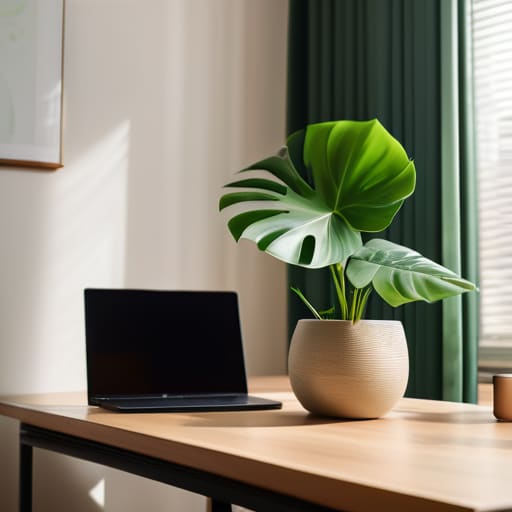
I’ve spent a lot of time restoring old furniture, so I’ve learned that the foundation is everything. The same applies to your digital presence. You don’t need a dedicated home studio or a high-end designer office to look the part; you just need to curate your immediate surroundings. A cluttered bookshelf or a pile of laundry in the corner acts as a visual distraction that pulls the interviewer’s focus away from what you’re actually saying. I prefer a clean, neutral space—perhaps just a simple plant or a single piece of art—to serve as a professional background for video calls. It signals that you are organized and intentional.
If you’re working with limited space, don’t sweat it. A plain, solid-colored wall is often better than a busy room. However, keep an eye on your positioning. I always suggest sitting facing a window if possible; natural light is your best friend when it comes to lighting for video calls. Avoid having a bright window directly behind you, or you’ll end up as nothing more than a dark silhouette. The goal isn’t to look like a movie star, but to ensure your face is clear and your environment feels calm and controlled.
Five Systems to Keep Your Focus Where It Matters
- Script your “elevator pitch” on paper, not a screen. I’ve found that reading from a digital notepad makes my eyes wander and kills my eye contact. Write down three key talking points in my physical notebook and keep it nearby. It keeps me grounded and keeps the conversation feeling natural.
- Run a “dry run” with a friend or even just a recording. Don’t just check if the camera works; check how you actually sound. Sometimes I realize my tone is a bit too flat when I’m nervous, so practicing out loud helps me find a more conversational rhythm before the real thing.
- Design a “pre-interview ritual” to manage the jitters. I usually spend ten minutes away from all screens—just a quick walk or a few minutes of quiet breathing. It helps clear the mental clutter so I’m not walking into the call with a racing heart and a scattered brain.
- Prepare a list of three thoughtful questions in advance. When you’re in the middle of a high-stakes video call, your brain can go blank. Having these written down in my notebook ensures I don’t just settle for “What’s the company culture like?” and instead ask something that actually shows I’ve done my homework.
- Treat your interview attire like a professional uniform. Even if you’re sitting in your living room, dressing the part changes your posture and your mindset. It’s a small, repeatable way to signal to your own brain that it’s time to switch from “home mode” to “professional mode.”
Final Thoughts Before You Log On

At the end of the day, a successful remote interview isn’t about having a studio-grade lighting rig or a perfectly curated bookshelf behind you. It’s about removing the friction that gets in the way of your true self. By testing your tech beforehand, clearing the visual clutter from your background, and ensuring your connection is stable, you aren’t just being “prepared”—you are protecting your mental bandwidth. When you know the logistics are handled, you stop worrying about a flickering screen or a messy room and start focusing on the actual conversation. That is where the real magic happens.
I know how heavy the weight of a job search can feel, especially when you’re staring at a webcam instead of a person. But remember, these systems are meant to serve you, not to add another layer of stress to your plate. You don’t need to be a polished performer; you just need to be present and prepared. Treat the technical setup as the foundation, and then let your experience and personality do the rest of the heavy lifting. You’ve done the work to get to this point, so take a breath, trust your preparation, and just go be yourself.
Frequently Asked Questions
How do I handle unexpected technical glitches or a sudden internet outage mid-interview?
When the screen freezes or the Wi-Fi cuts out, the panic is real. My rule? Don’t let a glitch derail your composure. Keep your phone nearby with your recruiter’s number or email already pulled up. If you drop, immediately send a quick note: “Technical glitch on my end—reconnecting now.” It shows you can stay calm under pressure. Most interviewers understand; they care more about how you handle the hiccup than the hiccup itself.
What should I do if my house gets noisy or there's unexpected activity in the background?
If things get loud, don’t panic—it happens to the best of us. My first move is always to lean into the tech: turn on noise-canceling software or use a headset with a decent mic. If a neighbor starts mowing the lawn or a delivery driver rings the bell, just acknowledge it briefly. “Excuse me, one moment,” then keep going. A quick, calm apology shows you’re composed, which is much better than looking flustered.
Is it better to look at the camera lens or at the person's face on my screen to maintain eye contact?
It’s a bit of a mental tug-of-war, isn’t it? Here’s the reality: if you look at their face on the screen, it feels natural to you, but to them, it looks like you’re looking down. To truly simulate eye contact, you have to look directly into that little camera lens. It feels awkward at first—almost like you’re staring into a void—but that’s what builds a genuine connection. Just aim for the lens during key moments.
How can I keep my energy levels up and avoid looking drained during a long day of back-to-back video calls?
To keep from looking like a zombie by the third call, I rely on two simple systems. First, hydration is non-negotiable; keep a glass of water nearby to prevent that “parched” look. Second, I use the “reset” method between meetings: stand up, stretch, and step away from the screen for sixty seconds. It breaks the trance. A little movement and water go a long way in keeping your eyes bright and your focus sharp.